 RigMining
Troubleshooting
ASIC Miner Offline? A Step-by-Step Checklist to Get It Back Online
Is your ASIC miner offline at the pool, or its page will not open? Work through power, cables, IP address, pool settings and network blocks in the right order.
First, work out what “offline” means
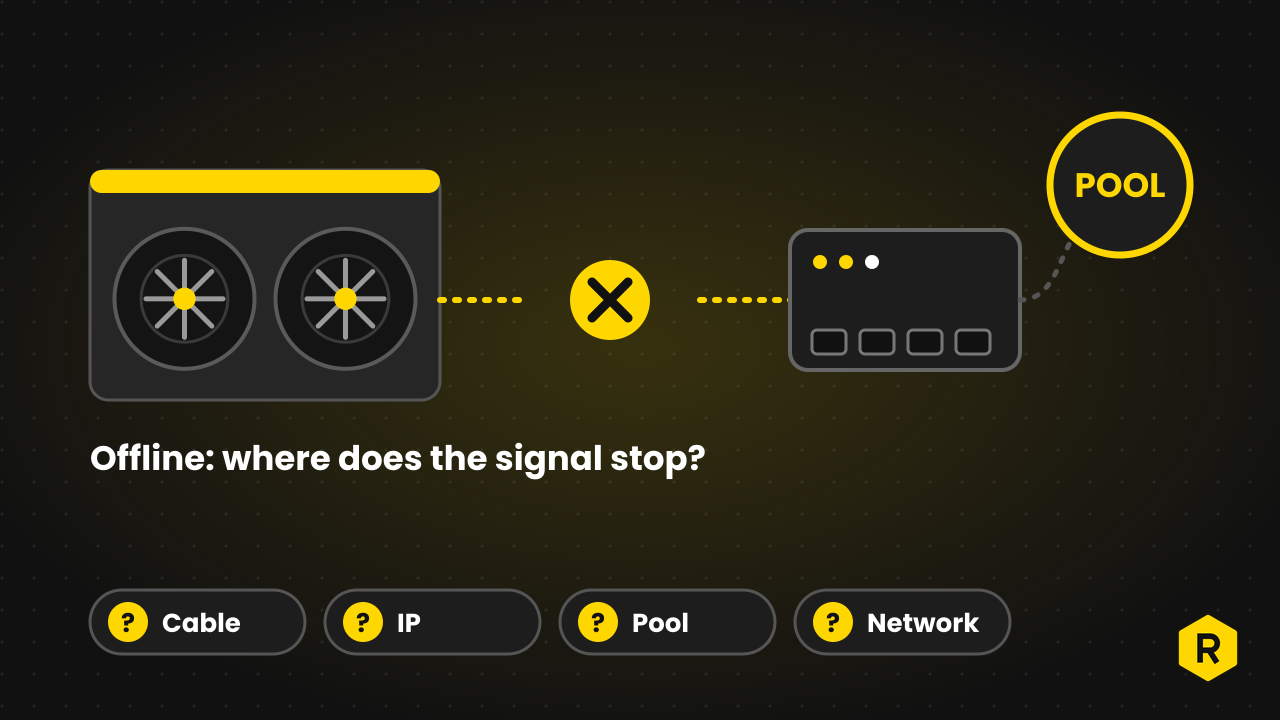
“Offline” can describe three different problems, and each one points to a different place to look.
| What you see | Where to look |
|---|---|
| The worker is offline on the pool dashboard, but the miner’s own page opens | The miner cannot reach the pool: pool settings, internet access, DNS or a firewall |
| The miner’s page does not open at all | Power, the Ethernet cable, the router or switch, or the miner’s IP address |
| The miner is online and connected, but the hashrate is zero or low | This is not a network problem. Read what to do when hashrate drops |
A pool dashboard also needs a few minutes to notice a change. Give it a little time before you decide a worker is really down.
If your miner is hosted with OneMiners
A hosted miner sits in a data center, so you cannot reach its cables and should not try to change its settings. Look at your dashboard first, then send a support ticket with the serial number and any error message. OneMiners’ FAQ answer on a miner that is not working says the same thing, and our guide on how to contact support shows where to send it. You can open a ticket from the support request page.
The checklist below is for a miner you run yourself. If you host with OneMiners, the last section, “What to send support”, still applies to you.
The checklist
Go in this order. The early steps are quick and fix most problems.
- Give it time to start. After you power on, Bitmain advises waiting until the normal (green) light starts to flash before you look for the miner’s IP address. On many Antminers a flashing red light points to a network problem or to high-temperature protection, so check both. Light codes differ between models, so check your manual.
- Check power and cables. Confirm that the router or switch has power and its link lights are on, and that the Ethernet cable is fully seated. Swap in a cable you know is good, since damaged cables and worn ports cause drops that come and go.
- Use a wired connection. Many ASICs do not support Wi-Fi at all, and D-Central notes that Wi-Fi interference makes drops worse. Use Ethernet.
- Look at the router. Find the miner in the router’s list of connected devices. Zeus points out that some routers limit how many devices can connect, so check that yours is not full.
- Find the IP address. If the miner is not in the list, Bitmain’s IP Reporter tool can show it. It runs on Windows only, and the computer must be on the same network as the miner. Press and hold the IP Report button on the control board as the manual for your model describes, then open the address in Chrome or Firefox. If you changed the miner’s password, keep the new one somewhere safe, because Bitmain says a lost password cannot be recovered.
- Fix address conflicts. Two devices with the same address cause drops, often after a power cut. D-Central suggests setting a DHCP reservation by MAC address, so each miner keeps its own address. If you set a fixed address by hand, check the IP, subnet, gateway and DNS fields, and Zeus advises switching off MAC address binding on the network.
- Check the pool settings. Look at the pool URL, the port and the worker name, including capital letters. A small typo in any of them leaves the miner online but not working. Add a second and third pool so the miner has somewhere to go if the first one has a problem.
- Look for blocks. Make sure your internet provider or firewall is not blocking the pool’s port, and that the pool address is correct. D-Central also suggests public DNS servers if your provider’s DNS is slow or unreliable. On large setups, router features such as UPnP, SIP ALG and QoS can interfere with pool traffic.
- Test the route to the pool. Bitmain’s maintenance guide recommends pinging the pool address from the miner’s diagnostics page. If the delay is over 100 ms, check the local network first and then the connection from your provider, because a slow link makes hashrate swing.
- Restart. Restart the miner and wait a few minutes before you judge the result.
- Factory reset, last of all. Zeus lists a reset of the control board as a later step, by holding the reset button for about five seconds. A factory reset removes your pool and network settings, so write them down first.
If the miner works on a different network, then the problem is in the first network. If it does not work anywhere, the problem is probably the miner, and the next step is support.
What to send support
A good report saves a round of questions. Include:
- The miner’s model and serial number.
- When it went offline and whether anything changed that day (moved, power cut, new router, new firmware).
- What the status lights show.
- Any error message or a screenshot of the status page, and of the kernel log if you can open it.
- The steps you have already tried.
For a hosted miner, add this to the ticket and let the hosting team do the work. The OneMiners FAQ says a warranty claim needs a miner that was not repaired by anyone unauthorized, so ask before you open a machine that is under warranty. The warranty page explains the rule.
Stopping it from happening again
- Keep a DHCP reservation or a documented fixed address for every miner.
- Set backup pools.
- Give each worker a clear name, so an offline one is easy to spot in the pool dashboard.
- Use Ethernet only.
- Keep a record of your settings so you can restore them after a reset.
New to the words on this page? The glossary explains terms such as workers and hashrate, and the manuals and firmware library on OneMiners has guides for many models.
Sources and further reading
Written by the OneMiners team. We sell and host mining machines, so this article links to our own pages where they are relevant, and the sources above are independent. It explains how things work and is not financial advice. Mining carries risk, and prices, rates and features change, so check oneminers.com for current details.